5 Non-Obvious SEO/GEO Features for 2026 That No AI Model Will Tell You About
Updated November 2026
AI can help you write a hundred articles quickly. Figuring out which ones actually help people find your product and understand what it does is harder.
A few years ago, it seemed that writing articles quickly with AI would let almost any website reach the top of search results in a matter of weeks. Over time, more complications emerged.
At OpenWay AI, we’ve been turning individual editorial decisions into rules: when to separate articles, how to explain a new category, where to check accessibility, and which facts to verify before publishing.
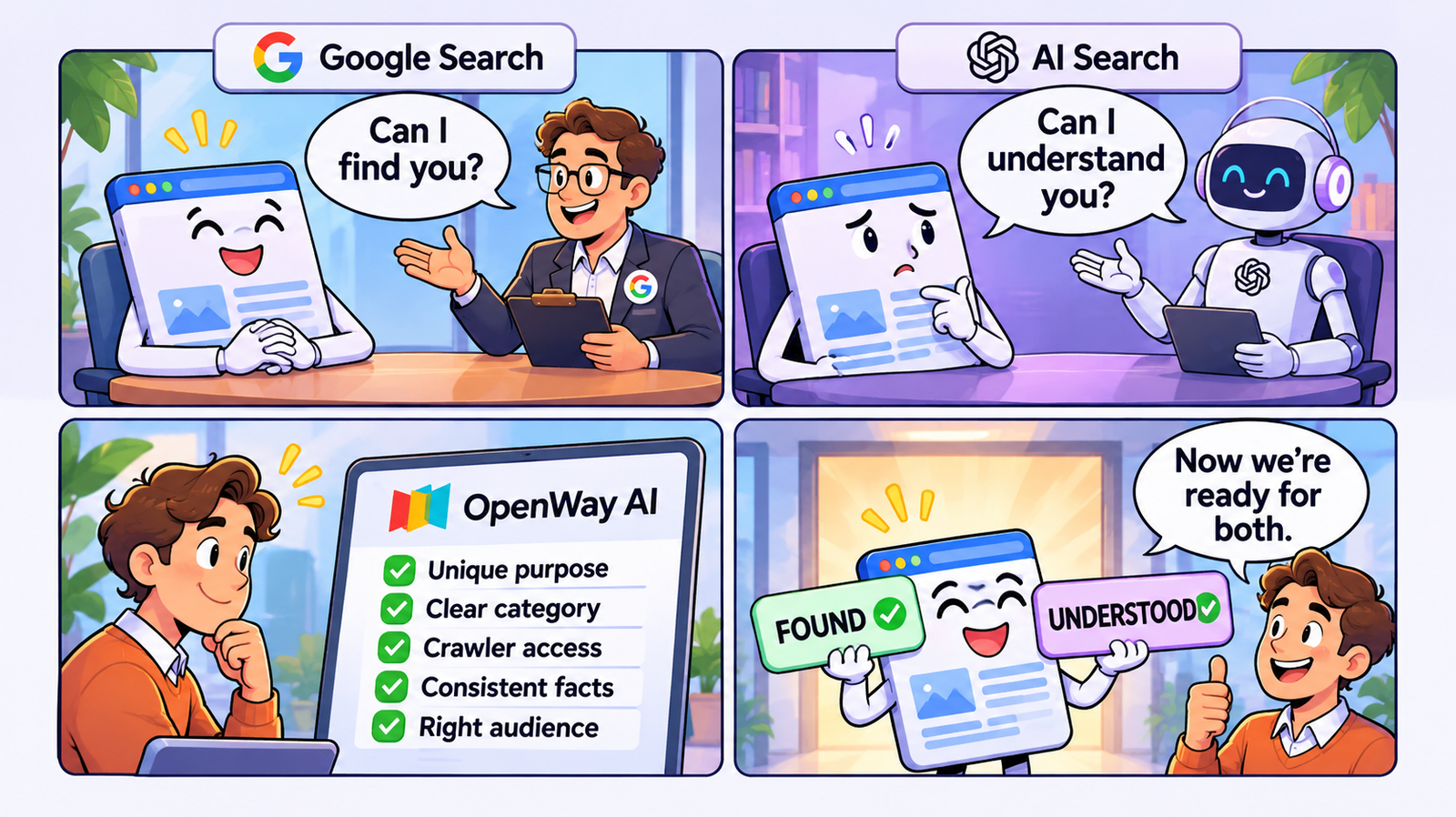
Here are five checks I’d put into a content workflow before increasing output.
1. Different URLs Don’t Automatically Mean Different Articles
You can write two articles, swap the competitor’s name, rearrange a few paragraphs, and publish them on separate pages. A search engine may still see them as nearly identical.
If Google considers pages duplicates or very similar versions, it may select one canonical page. Publishing two articles doesn’t necessarily create two independent entry points from search. Separate URLs also don’t guarantee that AI search systems will use both pages in their answers.
So the first question when planning an article is: what specific problem does this page solve for the reader?
“Which of these two products should I choose?” and “Does this product work for my business?” are different questions. A direct comparison fits the first. A dedicated, detailed review often serves the second better.
What to do
- Define the question each page answers before writing it.
- Compare it with existing content. Does it offer distinct value?
- Give separate pages their own URLs, titles, H1s, and primary search queries.
- Use the actual characteristics of each product. Replacing a name in a template doesn’t create a new article.
- Link related articles where the next page genuinely helps the reader.
You can set an internal rule that at least half the text must differ in substance. But that is an editorial guideline, not a uniqueness threshold set by Google.
How to check
In Search Console, inspect which page Google selected as canonical and which queries each article appears for. If a different page appears than the one you intended, check content overlap and technical settings.
2. Check Which Category AI Puts Your Product In
You can spend weeks refining your positioning. Then ask a model to explain what your company does and get a description of a neighboring market.
This is especially relevant when you’re creating a new category or combining familiar concepts.
Familiar words help explain a product. But the model already has associations with those words. Your meaning can get lost when the explanation is shortened or paraphrased.
What this looks like at OpenWay AI
Our positioning is:
“One business memory for your whole team, inside Claude, ChatGPT and Slack.”
The phrase business memory can still be confused with developer memory tools or the memory of an individual AI assistant. That’s why our content has to explain what we mean by it: what the company decided, why, and what happened next, shared across the team and available inside Claude, ChatGPT and Slack.
Growth is the first layer that runs on that memory: building pages, launching campaigns, testing demand, and informing the next growth action.
A definition page should also explain the differences from adjacent concepts: a knowledge base, a CRM, or the memory of an individual AI assistant.
What to do
- Identify two or three neighboring categories that use similar language.
- Explain who the product serves, what it does, and what outcome it delivers in the same passage.
- Add explicit distinctions wherever confusion is likely.
- Align the company’s core description across the website, directories, and public profiles.
A consistent description helps maintain positioning. Requiring identical wording everywhere is an internal editorial choice. There is no basis for assuming that changing one word automatically breaks a model’s understanding.
How to check
Build a consistent set of questions potential customers would ask and run them regularly across different AI systems. Record how they describe the company, who they compare it with, and which sources they cite.
One strange answer tells you little. A recurring mistake points to a part of your explanation worth revisiting.
3. Check AI Search Access Separately From Google Rankings
Strong Google rankings don’t mean your content is accessible to every AI search system.
These systems use different combinations of search providers, crawlers, and methods for retrieving pages. “One assistant, one index” oversimplifies the picture.
The practical question is: can a particular system discover and read your important pages? This is one of the issues we also looked at in our article on why AI-built websites can look finished long before they’re actually ready.
Training crawlers and search crawlers can also be different. Allowing one doesn’t replace checking the other.
What to do
- Check whether your important pages appear in Google and Bing.
- Set up Bing Webmaster Tools.
- Where your publishing system supports it, use IndexNow to notify participating search engines about page changes.
- Review the current search-crawler requirements of the AI systems you care about.
- Check whether your hosting or security services block those crawlers, even when robots.txt allows access.
- Group identifiable visits from AI assistants separately in analytics.
For example, OpenAI identifies OAI-SearchBot as relevant to inclusion in ChatGPT search. Checking GPTBot alone doesn’t cover that requirement.
At OpenWay AI, our checklist includes search-crawler access, visibility beyond Google, and tracking visits from AI systems.
How to check
Separate three things: page discovery, access to its content, and user visits.
A crawler visit doesn’t prove the page was cited. A citation doesn’t guarantee a click. Analytics captures only the visits it can identify.
An llms.txt file doesn’t replace these checks either. Google doesn’t require a special AI text file for inclusion in its AI search features.
4. Check Facts Across Pages
A page can be perfectly written and still contradict the rest of your website.
The homepage lists one integration count. A product page lists another. A directory still shows an old price. An article’s metadata puts its publication date in the future.
These inconsistencies are easy to miss when you review each page separately.
A reader or AI search system encounters conflicting versions of the same fact. Which one should it use? Which one is current? Your company’s content shouldn’t leave that question open.
What to do
- Maintain a record of public facts: pricing, plans, integrations, founder details, and verified case-study numbers.
- Record where those facts are published.
- When something changes, update the relevant pages, structured data, and external profiles.
- Check publication and modification dates in both the visible text and metadata.
- Verify case-study numbers against their original sources, preserving the context: timeframe, conditions, and what was measured.
How to check
Compare the record with your main pages and external profiles every month. Do it immediately after a pricing change or a major product update.
The output should be a specific list of discrepancies and where to fix them.
5. Check Which Audience Familiar Words Bring In
An unfamiliar term needs familiar language to explain it.
But familiar words come with existing meanings, search queries, and audience expectations.
A phrase can accurately describe part of your product while attracting people who need a completely different solution. High search volume doesn’t fix that mismatch.
What to do
- Inspect search results for a term before adding it to your content.
- Check which products, problems, and audiences dominate those results.
- Connect the familiar concept to your product’s outcome in the same paragraph.
- Choose headings for the question and audience you actually want to reach.
- In paid search, regularly review search terms and add negative keywords for irrelevant use cases.
How to check
Use Search Console to see which queries generate impressions and clicks. Then check whether those visitors take relevant next steps.
If the queries consistently point to a neighboring use case, tighten your wording and targeting.
Traffic for the wrong problem still looks like growth in a report.
Build These Checks Into the Workflow
Before publishing, the writer and editor check three things: the page’s distinct value, the meaning of its terminology, and the consistency of its facts.
The person responsible for SEO/GEO regularly checks indexing, search-crawler access, descriptions of the company in AI answers, and actual audience queries.
These are some of the content principles built into the OpenWay AI workflow. At its core is one business memory for the whole team: content draws on the same current company context, facts, decisions, and positioning.
When every piece uses the same current facts, you remove a source of inconsistency: different articles relying on different information about the company. Those contradictions create confusion for AI search systems and undermine readers’ trust in your website.
Business memory provides a shared foundation for new content. Reviewing and updating existing pages helps maintain that consistency over time.
Before scaling content, I want to know that every new page has a clear purpose, describes the product accurately, and agrees with what we say elsewhere.
Build your business memory first, then use it for content and other growth work: from market research to building pages, launching campaigns, and testing demand. Everything stays grounded in what your company already knows, with your approval before irreversible actions go live.
Share this article