What Happens to Your Company's AI Context When Someone Leaves
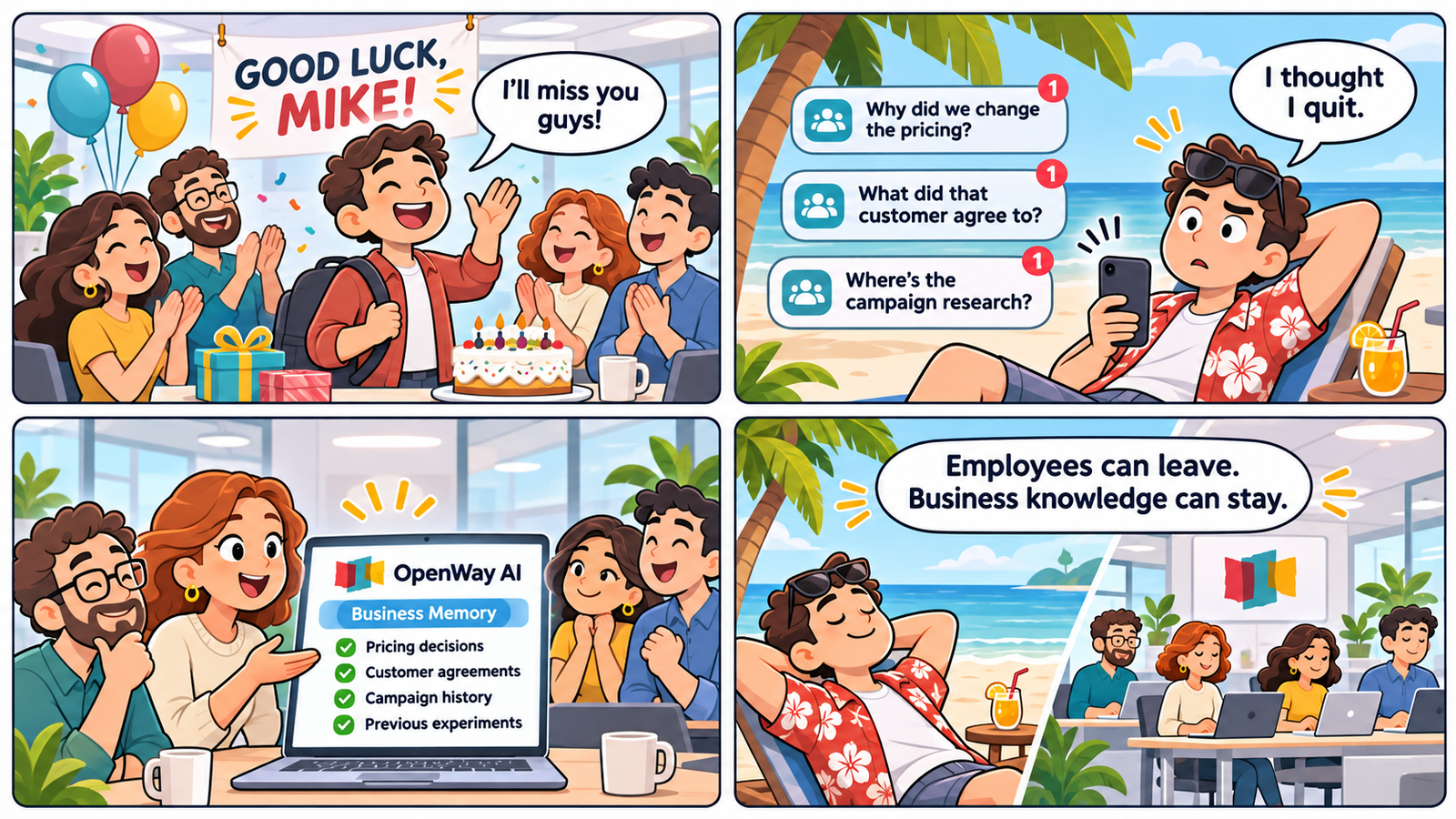
Companies that rely on AI assistants day to day are quietly building up a second kind of institutional knowledge, one that lives inside ChatGPT and Claude chat histories instead of in a wiki or a CRM. Nobody plans this. It just happens, chat by chat, as people paste in customer questions, draft follow-ups, and ask an assistant to help them think through a deal.
The problem shows up when someone leaves the company and another person has to pick up where they left off.
What actually leaves when an employee leaves?
More than most teams realize. A departing sales rep's ChatGPT or Claude history may hold the specific wording that got a reply from a cold prospect, the objections a particular account raised and how they were answered, and the lessons they learned from a type of deal that kept recurring.
A departing support agent's history may hold the workaround they figured out for a recurring bug that never made it into the official documentation. A departing marketer's history may explain why a campaign was framed a certain way and what the research behind it actually said.
Some of that knowledge may never have made it into the company's shared systems. It may still exist in an individual AI account, but the person taking over the role won't automatically have access to it.
Even corporate AI subscriptions don't fully solve this problem. OpenAI's ChatGPT and Anthropic's Claude offer shared projects and organizational data management features, but an employee's personal AI memory does not automatically become the memory of their replacement.
We've explored these distinctions in more detail in two separate articles:
- ChatGPT Memory vs. Business Memory: What's Actually Different
- Claude Memory vs. Business Memory: What's Actually Different
Why doesn't this show up as a visible problem sooner?
Because the cost is invisible until someone goes looking for the thing that's missing. The new hire doesn't know what they don't know. They ramp up the normal way: shadowing calls, reading what documentation exists, and asking colleagues.
Nobody files a ticket that says "we lost context," because there's no clear moment when the loss becomes visible.
It shows up later as a deal that stalls because of an objection the company has already learned how to address, or a customer question that gets researched from scratch because the answer from eighteen months ago lived in someone's individual AI chat history.
What's actually at risk when an employee leaves?
| What lived in an individual AI account | What it can cost when that person leaves |
|---|---|
| Objection handling learned over dozens of calls | The next rep has to relearn it deal by deal, with real prospects |
| Why a specific customer's pricing exception was approved | Finance or sales has to reconsider the same exception without knowing the original reasoning |
| Why a campaign was positioned a certain way | Marketing repeats an angle that was already tested and dropped |
| A workaround for a known product limitation | Support has to rediscover it, or the customer encounters the same problem twice |
| Which reference customers have agreed to be quoted | A new rep asks again or misses an opportunity to use an existing customer reference |
None of this requires the departing employee to have done anything wrong. It's simply where the context happened to live.
Is this just a bigger version of normal onboarding friction?
Not quite. Normal onboarding friction is a new person learning a role they haven't done before. This is different: the company already knew the answer, a specific person's AI history held it, and that knowledge becomes difficult or impossible for the next person to access.
The company ends up paying twice for the same knowledge: once when the original employee acquired it and again when their replacement has to rediscover it.
Unlike the time naturally required to learn a new job, much of this cost is avoidable. The information already existed. It just needed to live somewhere other than one person's account.
How does business memory change this?
Business memory is a company's own system of understanding: what it decided, why, and what happened next, so AI runs growth on current, trusted knowledge and every result sharpens the next decision.
Because it belongs to the company rather than to any one employee, business memory doesn't have a "last day" the way an employee does.
OpenWay AI gives your whole team one business memory, available inside Claude, ChatGPT and Slack. It can be built from connected business applications, customer interactions, meetings, documents, conversations with OpenWay AI, and the results of previous work.
The objection a departing rep learned to handle, the reason behind a pricing exception, or the workaround a support agent discovered can all remain available to authorized colleagues, provided that knowledge has been captured in the company's shared memory.
It's also important that the information stays current. Business Memory Factory records the source, date, and confidence of business facts. Confirmed company decisions take priority, conflicting claims are brought to a person for review, and superseded knowledge loses authority.
The aim is to make an employee's departure a staffing event rather than a memory-loss event.
What does this look like with real numbers?
A related pattern shows up in one of our customer cases. A US-based B2B consulting firm had accumulated hundreds of old sales opportunities in its CRM. Before increasing its advertising budget, the company wanted to find out whether some of those opportunities were worth revisiting.
OpenWay AI analyzed existing sales records and email history from HubSpot and Gmail. Of 286 old opportunities, it identified 72 with a specific reason to restart the conversation.
Over the following six weeks, 19 prospects responded, seven opportunities returned to the active pipeline, and two resulted in signed contracts worth a combined $31,000 in annual contract value.
The valuable context already existed inside the business. The challenge was connecting it and making it useful to the team again.
Now imagine how much harder that task would have been if the reasons those deals stalled had existed only in the individual AI conversations of the sales reps who originally handled them.
You can read the full case in The $31,000 Sitting in Leads You Already Paid For.
The same dynamic applies beyond sales. Support tickets, campaign history, and account-specific pricing decisions all have something in common: valuable context that can become difficult to recover when the person who originally held it is no longer responsible for the work.
Does this only matter for departures, or also for internal moves?
It matters just as much for promotions, parental leave, temporary absences, and role changes.
A rep promoted into management hands their accounts to someone else, usually with a verbal handoff and whatever is in the CRM, rarely with all the AI-assisted context they've built up.
The quality of that handoff may depend heavily on how much the person remembers to mention in a transition meeting.
Shared business memory reduces that dependency. The next person can draw on the knowledge the company has already captured instead of relying entirely on a single conversation or a document prepared during someone's final week in the role.
The employee doesn't even have to leave the company for the business to benefit from better knowledge continuity.
What should a team actually do about this?
Start with the roles where context loss is most expensive: the people handling the most deals, the most complex customer questions, or the business decisions that affect multiple teams.
These are the roles where an individual AI history can quietly become a single point of failure.
There are four practical steps a company can take:
- Identify the knowledge that would be hardest to replace. Recurring sales objections, customer-specific agreements, campaign decisions, and lessons from previous experiments are good places to start.
- Find out where that knowledge currently lives. Is it in the CRM, emails, meeting recordings, shared documents, or individual AI conversations?
- Build shared business memory from the relevant sources. Connect the applications your company uses, add existing documents, and capture important business decisions as they happen.
- Make that memory part of everyday work. Give authorized employees access to shared company knowledge inside the AI tools they already use.
The goal is not to collect every conversation employees have with AI. It's to preserve the business knowledge that other people will need later.
Once business memory is in place, the question changes from "Did we remember to document this before they left?" to "Is this in our shared business memory yet?"
That's a much easier thing to check before someone moves on.
FAQ
Does this mean we need to read a departing employee's private chat history before they leave?
No. Business memory is designed to capture relevant company knowledge through approved sources and workflows as the team works. The aim is to reduce the need to reconstruct business context from private conversations at the last minute.
What happens to an employee's ChatGPT or Claude history when they leave?
It depends on the AI provider, the subscription plan, workspace settings, and data retention policies. Some shared resources may remain accessible to the company. However, individual AI memory and private conversation context do not automatically transfer to the employee's replacement.
Is this specific to ChatGPT and Claude, or does it apply to any AI tool?
It applies to any AI assistant whose useful context is tied to an individual account or restricted workspace. The underlying risk is the same whenever important company knowledge is unavailable to the next person responsible for the work.
Does business memory also help with internal transfers, not just departures?
Yes. Any handoff where responsibility moves from one person to another can benefit from shared business memory, including promotions, parental leave, temporary absences, and role changes.
How is this different from just writing good offboarding documentation?
Offboarding documentation is useful, but it often depends on someone reconstructing months or years of experience in a limited period of time. Business memory helps preserve relevant context throughout the employee's work, rather than waiting until a transition is already underway. The two approaches can complement each other.
Does business memory replace personal AI memory?
No. Personal AI memory helps an assistant understand how an individual works. Business memory preserves the company's own knowledge and makes it available to authorized team members across supported tools.
Start building your company's business memory
Think of one customer account, campaign, or business decision that would be difficult for someone else to take over tomorrow.
Start with the information your company already has. Connect your business applications, add relevant documents, and begin building one business memory your whole team can use inside Claude, ChatGPT and Slack.
Share this article